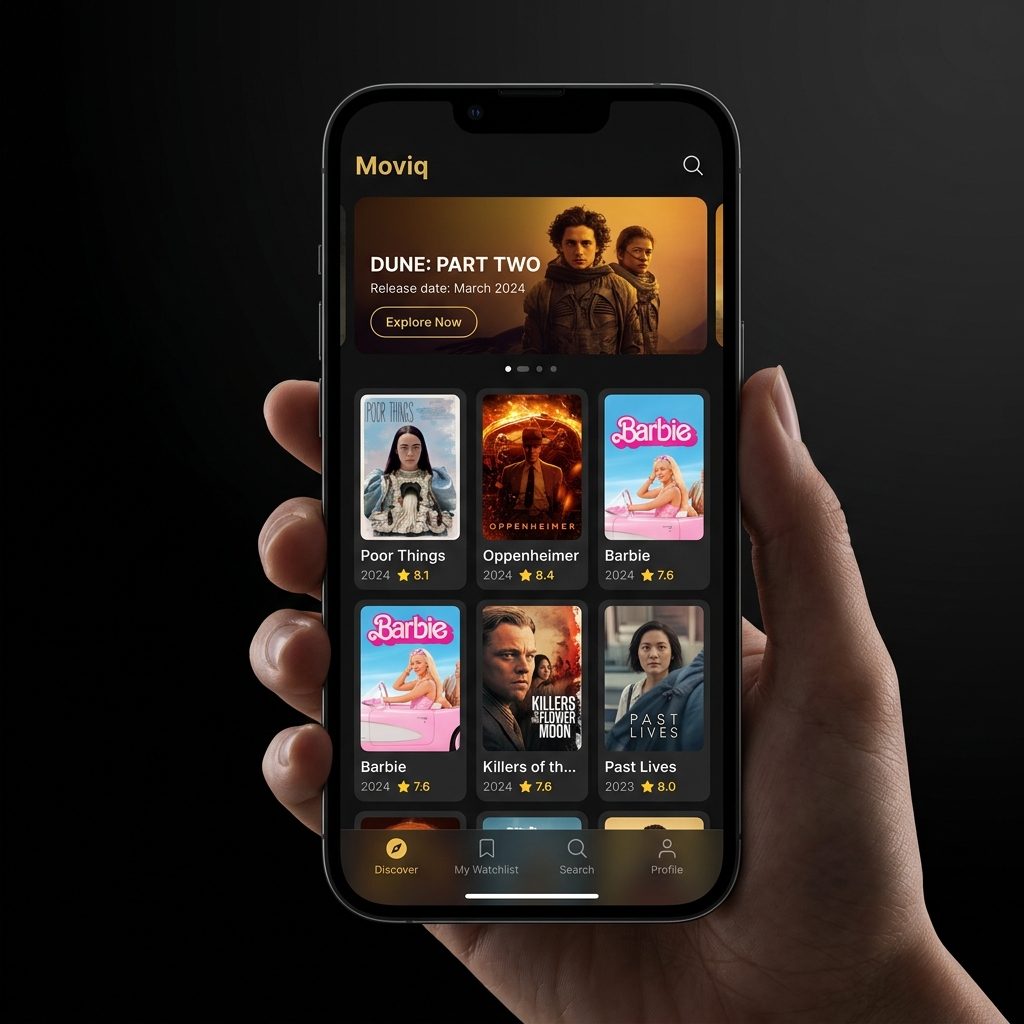
Moviq is the ultimate app for movie lovers. Keep track of what you've watched, manage your wishlist, discover new favorites, and set release reminders.
Explore the essential features of Moviq and get answers to common support scenarios.
Easily search TMDB's catalog and add movies to your personal Watchlist. Tap the ribbon icon on any movie detail page to toggle its watchlist status.
Stay updated on upcoming theatrical and streaming releases. Enable notifications in Moviq, and we'll schedule local alerts to remind you when your saved titles premier.
Mark movies as watched to maintain a clear history of your cinematic journey. Highlight your top-tier films in the Favorites tab to share recommendations.
Follow your favorite actors, screenwriters, and directors to discover their full filmographies. Explore deep insights and historical box office details.
Find answers to common questions regarding Moviq data policies, syncing, and troubleshooting.
Moviq values your privacy. All your movie watchlists, favorite tags, and custom reminders are stored locally on your iOS device using SwiftData. We do not transmit or backup your personal lists to any private cloud servers.
Moviq submits a background app refresh task (BGAppRefreshTask) to check TMDB APIs for any changes in release dates for the movies in your Watchlist. This occurs silently. Make sure that Background App Refresh is enabled under iOS Settings > Moviq.
No, you do not need a TMDB (The Movie Database) account. Moviq is ready to use immediately upon installation. We fetch all movie posters, cast bios, and synopsis data directly using TMDB's public APIs.
Moviq is completely free to download and use, supported by subtle mobile advertisements. You can unlock premium features, including ad-free browsing and custom icon choices, inside the app settings panel.
Please verify that notification permissions have been granted to Moviq. Navigate to iOS Settings > Notifications > Moviq, and make sure that "Allow Notifications" is enabled. Additionally, ensure that your device is not in Do Not Disturb or Focus modes.
Need assistance or have feedback? Reach out to our dedicated support team.
We typically respond to support inquiries within 24 hours. For technical troubleshooting, please specify your iOS version and device model.
Monday – Friday: 9 AM to 6 PM GMT
Average reply: Under 24 hours